Admin panel · Member Sign-In
Admin panel
Member Sign-In
Let members walk up and play without a booking — they sign in with their phone number and choose how long to play, never into the next booking.
"Let members walk up and play without a booking. A member signs in on the idle screen with their phone number and picks how long to play; the time on offer always stops before the next booking on this bay's calendar."
This page is in the Bookings group and only appears in Reservation Mode. Added in 2.27.
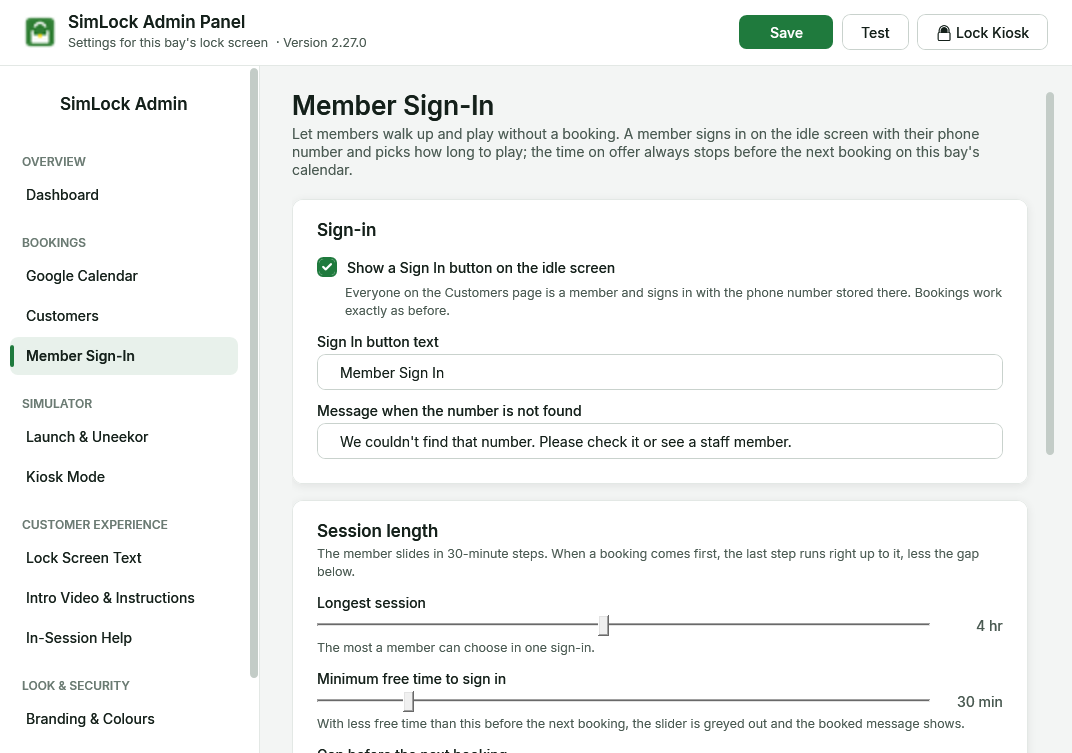 The Member Sign-In page.
How it works for a member
- On the idle screen the member taps Member Sign In.
- They type their phone number on the keypad and tap Continue.
- SimLock greets them by first name and shows a slider: 30 minutes, 1 hr, 1 hr 30 min … up to the longest session you allow.
- They tap Start. The simulator starts exactly as it does for a booking, and the lock screen hides.
- A banner across the top of the screen warns them before the time runs out, then counts down. When it reaches zero the bay shows the thank-you screen and locks.
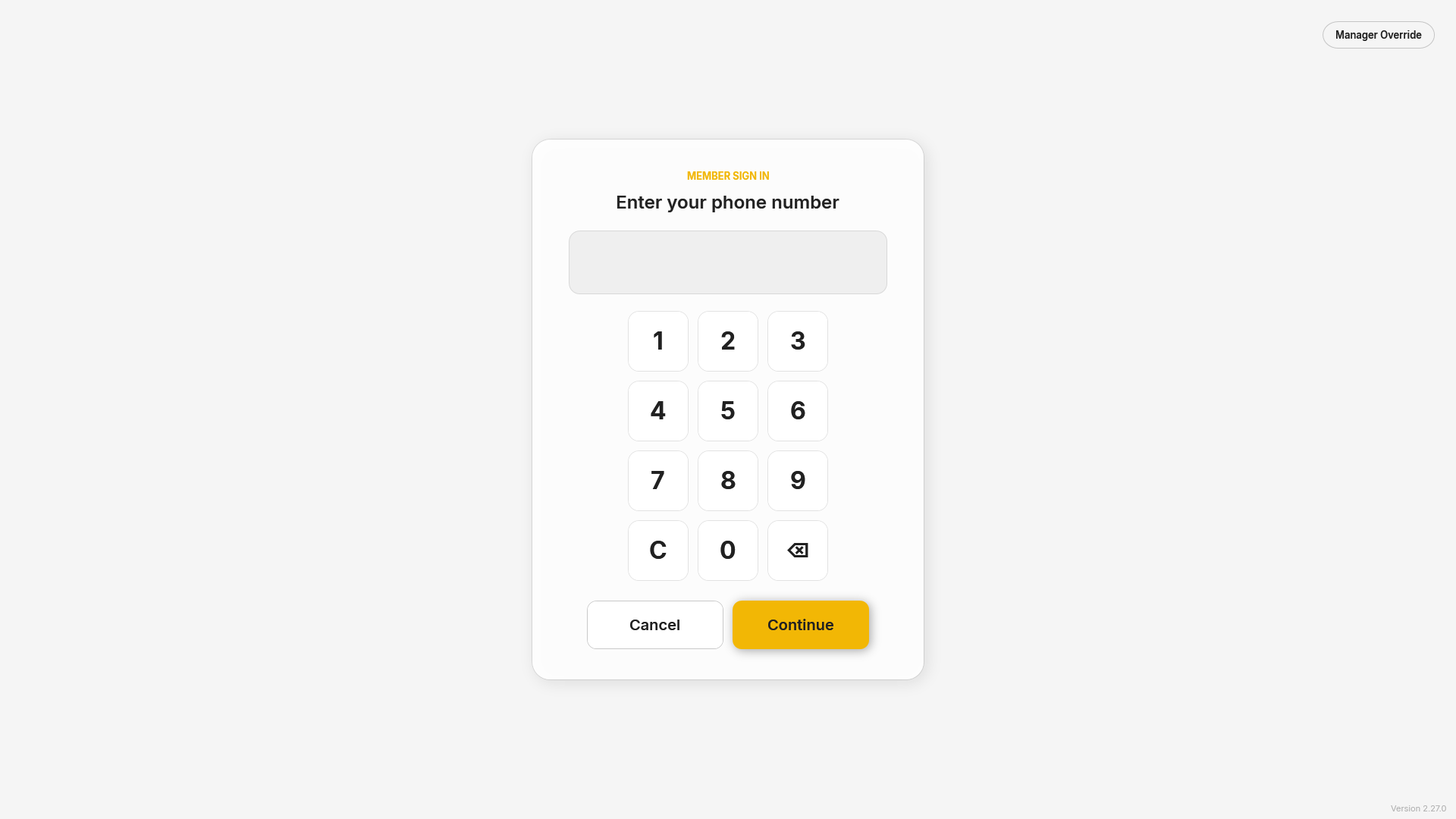 Phone number entry.
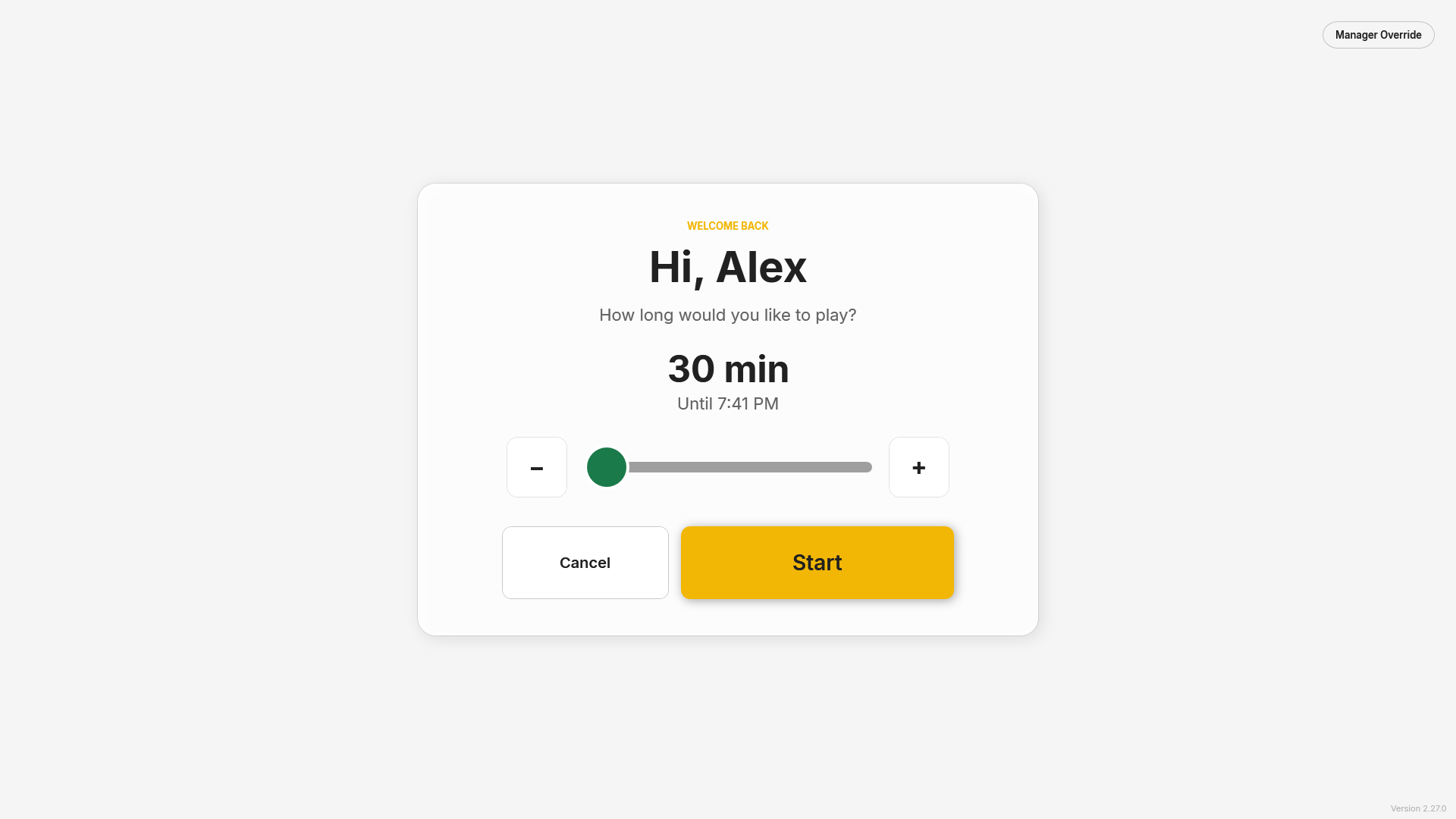 The time slider. − and + step it for anyone who finds the slider fiddly.
Who is a member
Everyone on the Customers page. Members sign in with the phone number stored there; matching ignores formatting and uses the last 10 digits. Add members by hand or with Import CSV on the Customers page.
A wrong number shows your "not found" message. Five wrong numbers in a row pause sign-in for 30 seconds. Someone who walks away mid sign-in is returned to the idle screen after a minute.
Bookings always come first
The slider never runs into a booking on this bay's calendar:
- The time on offer stops the gap before the next booking (2 minutes by default), so the software can restart for the booked customer. If the next booking cuts in between two 30-minute steps, the slider's last stop runs right up to it — for example, at 1:07 with a booking at 2:00 and a 2-minute gap, the choices are 30 min and 51 min (until 1:58).
- With less than the minimum free time before the next booking (30 minutes by default), the slider is greyed out and your booked message shows instead.
- If a booking is added to the calendar while a member is playing, their session is shortened to end the gap before it, and the warnings follow the new end time.
- While a booking is active the bay shows that booking's Welcome screen as usual; there is no Sign In button until it ends.
Bookings themselves work exactly as before.
Sync speed matters
SimLock only knows about bookings it has synced. A booking made a few seconds before a member signs in may not be known yet; it is picked up on the next sync and the member's session is shortened then.
Settings
| Setting | Default | What it does |
|---|---|---|
| Show a Sign In button on the idle screen | Off | Turns Member Sign-In on. |
| Sign In button text | Member Sign In | The button's label. |
| Message when the number is not found | We couldn't find that number… | Shown under the keypad. |
| Longest session | 4 hr | The most a member can choose in one sign-in (30 minutes to 8 hours). |
| Minimum free time to sign in | 30 min | Less free time than this before the next booking = fully booked. |
| Gap before the next booking | 2 min | How early a member session ends ahead of a booking. |
| Message when the bay is booked | This bay is booked at {nextTime}… | Shown instead of the slider. {nextTime} becomes the next booking's start time. Put your website or phone number here. |
| First warning | 10 min | A banner shown for 20 seconds this long before the end. 0 turns it off. |
| Final countdown | 2 min | A live countdown that stays up until the bay locks. 0 turns it off. |
The warning banner floats over the simulator, never takes focus from it and lets every tap through to the game. If the simulator runs in exclusive fullscreen, Windows may draw it over the banner; borderless fullscreen shows it.
Activity log
| Entry | When |
|---|---|
member.signin |
Every sign-in attempt: who signed in, or that a number was not found (only the last 4 digits are logged). |
member.session |
A member session started (length and end time), was shortened by a new booking, or ended. |
member.warning |
An end-of-session warning was shown. |
customer.arrived |
The member tapped Start (their Visits goes up, as for a booking). |